
Four screens. One live score.
Asia Pickleball puts pickleball scoring on four screens — the host desk, the referee phone, the live board and the venue screen — and all four show the same call: the one last saved.
The host desk
Where the tournament is built and run: the event, entries, courts, pairs, stages, and every match with its status and call.
- Round-robin groups and knockout stages
- Applicants, payment status and the roster
- Check-in, no-shows and walkovers
| Court | Match | Call |
|---|---|---|
| Court 3 | Chan / Wong vs Li / CheungLive · Mixed doubles · Round 2 | 11-11-1 |
| Court 4 | Kwok / Tsang vs Fung / MakLive · Men's doubles · Round 1 | 11-4-2 |
| Court 1 | Ng / Tam vs Ho / LamUpcoming · Mixed doubles · Round 2 | — |
| Court 2 | Yip vs ChowCompleted · Singles · Round 1 | 11-9 |
app.asiapickleball.ai/hostSample event. Names and scores are examples.
The referee phone
Two big targets with the pair names. The referee taps who won the rally; the rules decide what that does to the call.
- Event code and a name — no account
- Side-outs and server numbers handled for you
- Undo in one tap
- 0–0–2
Game starts
Chan / Wong won the rally
1–0–2Point
Chan / Wong won the rally
2–0–2Point
Li / Cheung won the rally
0–2–1Side out
Li / Cheung won the rally
1–2–1Point
Chan / Wong won the rally
1–2–2Second server
Chan / Wong won the rally
2–1–1Side out
Undo · one tap
1–2–2Call restored
Referee phone · a sample game, called by the side-out rules
The live scoreboard
One link for the whole event. Matches by time — live, upcoming, completed — with the official call on every live row.
- Search by player name
- Filter by court
- No login, nothing to install
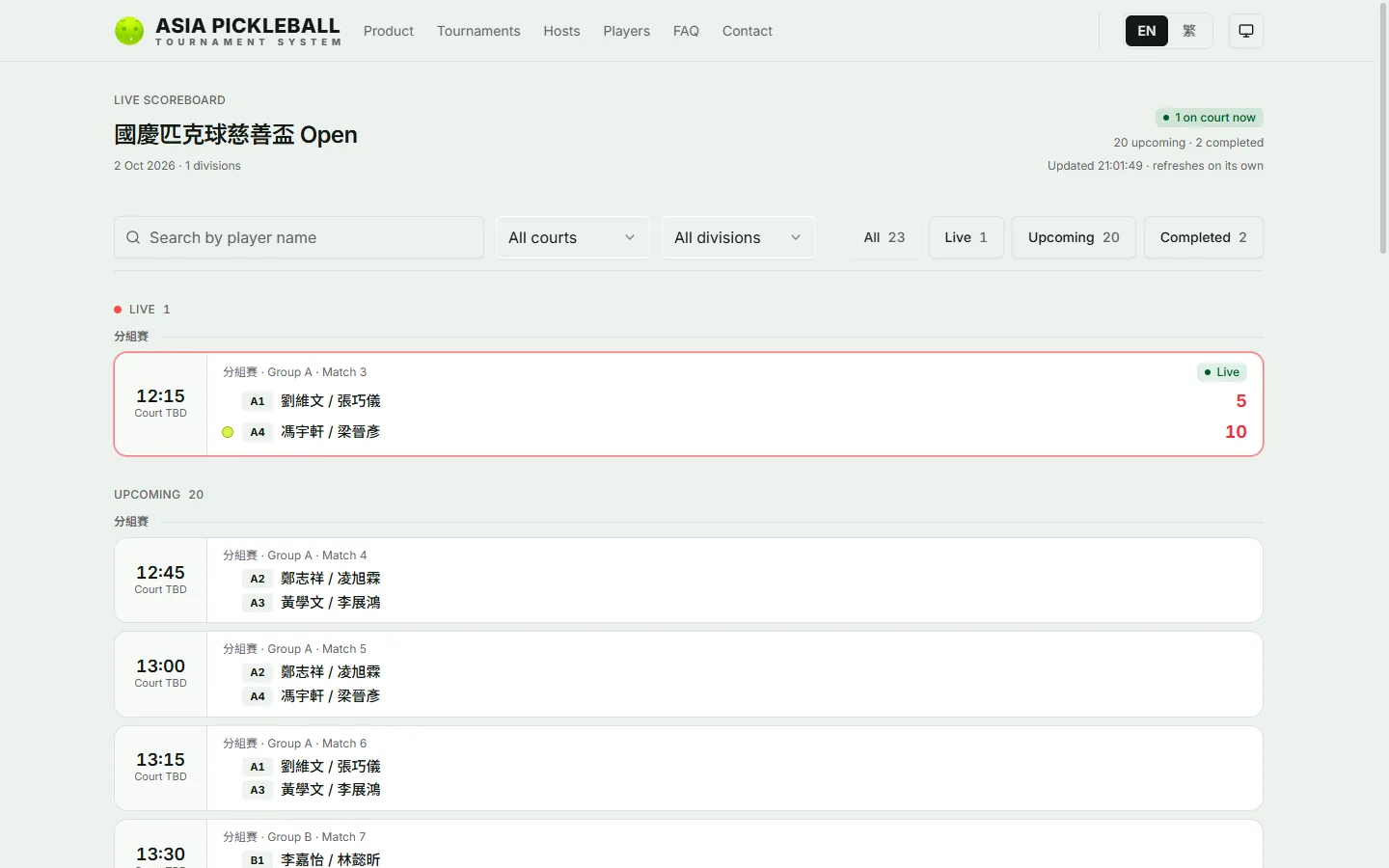
Search a name · filter a court
Live board on a laptop · 1440 × 900Real pages, captured from a demo event.
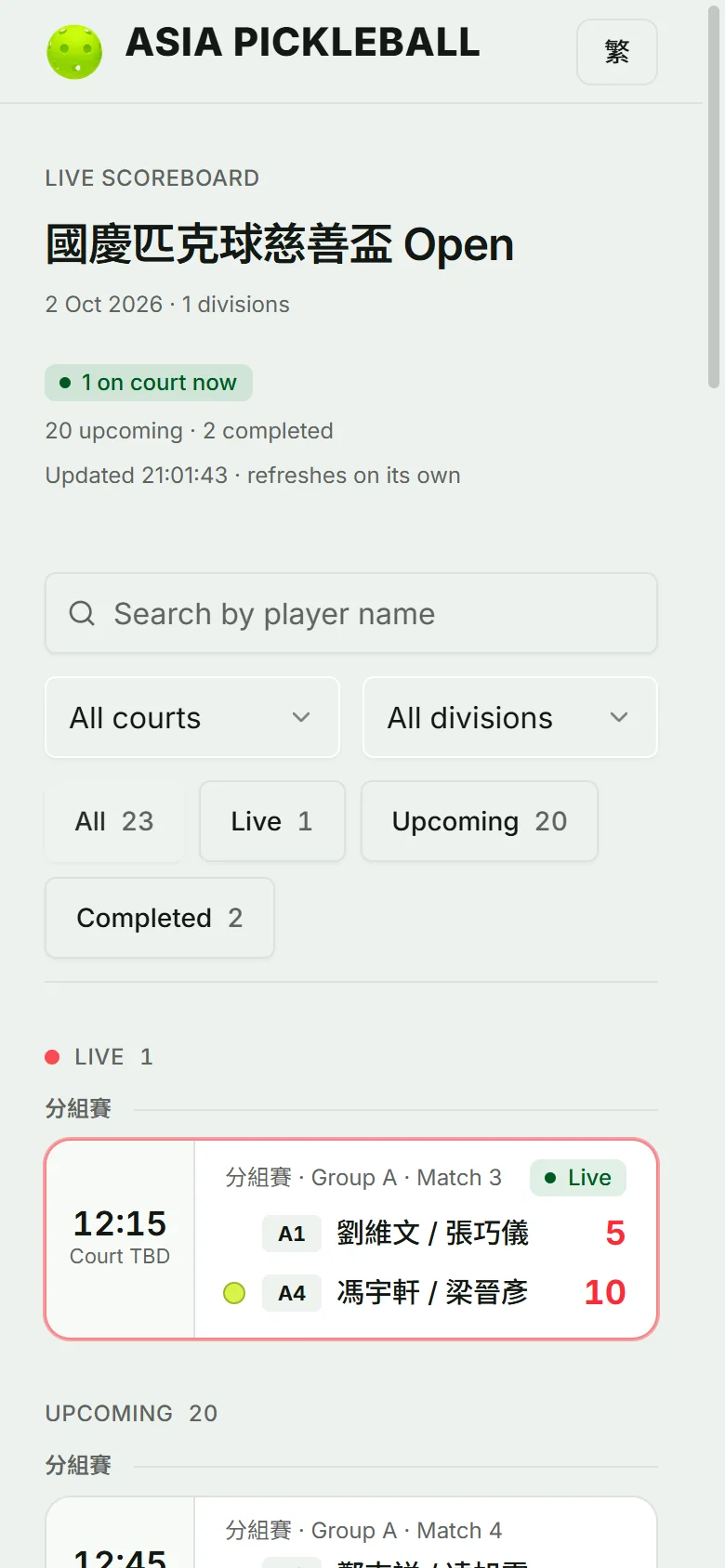
Search a name · filter a court
Live board on a phone · 390 px wideReal pages, captured from a demo event.
Put it on the big screen.
Open the screen address on any TV with a browser. From your phone, choose what it shows — and change it mid-session. Real pages, captured from a demo event.
Five modes, switched from your phone
- Follow playShown hereThe match being played, else the next one.
- BracketQF → SF → final → champion, filled in as rounds finish.
- Break timeBreak with countdown and what is next.
- AnnouncementA full-screen message.
- ScheduleUp next and latest results.
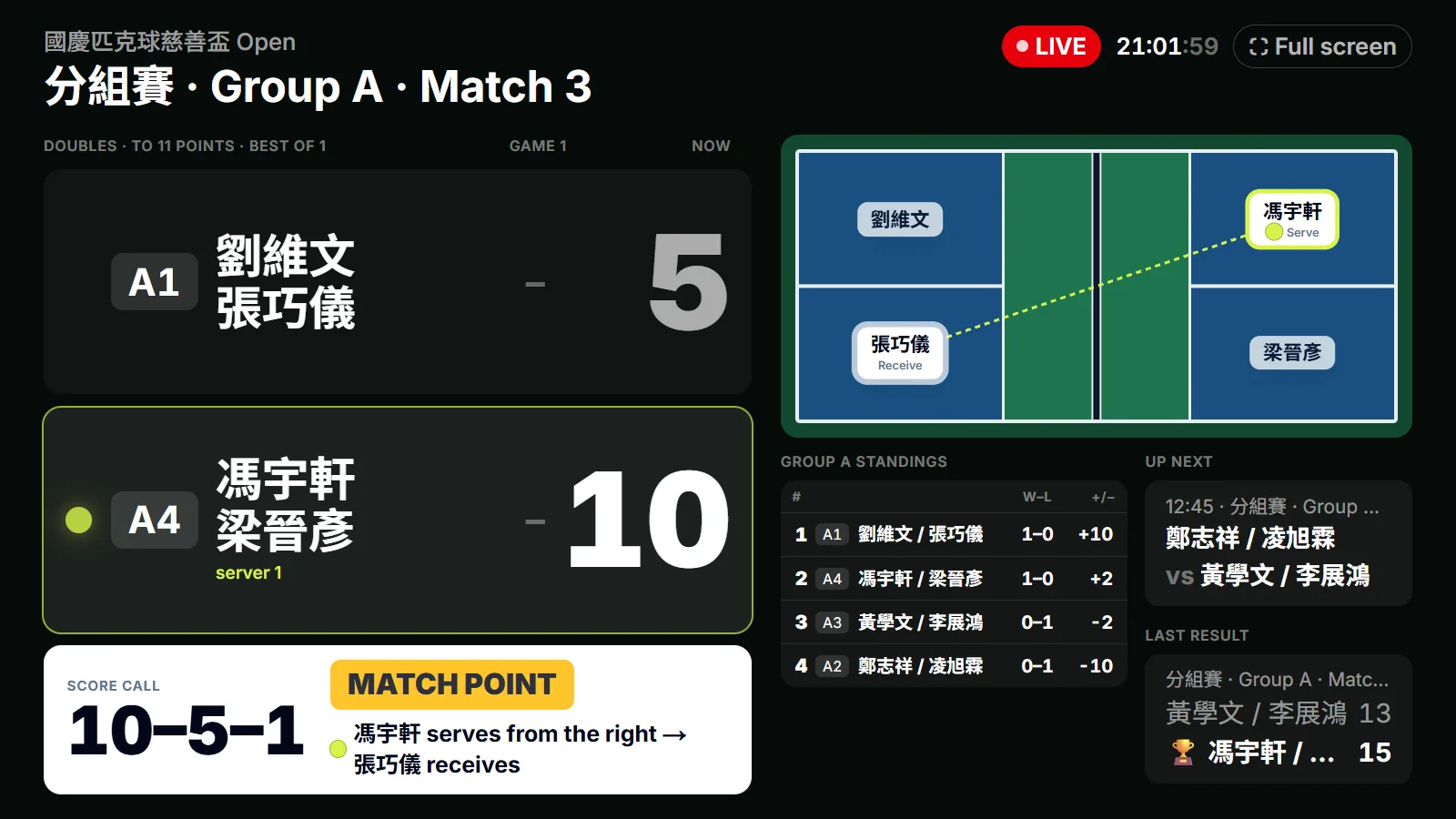
Venue screen · 1600 × 900
The details that keep Saturday calm.
The rules are built in
Side-out scoring and server one and two are applied for the referee. A tap that breaks the rules never moves the call.
Undo is one tap
A mistap is fixed on the spot, and anything missed is corrected later on the desk.
Holds the last call
If the wifi drops, the last official call stays on screen and the board says it's updating. Nothing is invented.
Ready for a crowd
The public board is cached at the edge, so a whole venue opening the link at once doesn't slow it down.
Read-only in public
Nobody can change a score from the public link. Scoring sits behind the event code; the desk behind a host sign-in.
English and 繁體中文
Every screen in both, and each person picks their own — the referee page and the public board included.
From one camera to a 3D court
One camera behind the baseline films the point. The AI rebuilds it: every player's joints, every ball flight, every bounce, on a court drawn to scale.
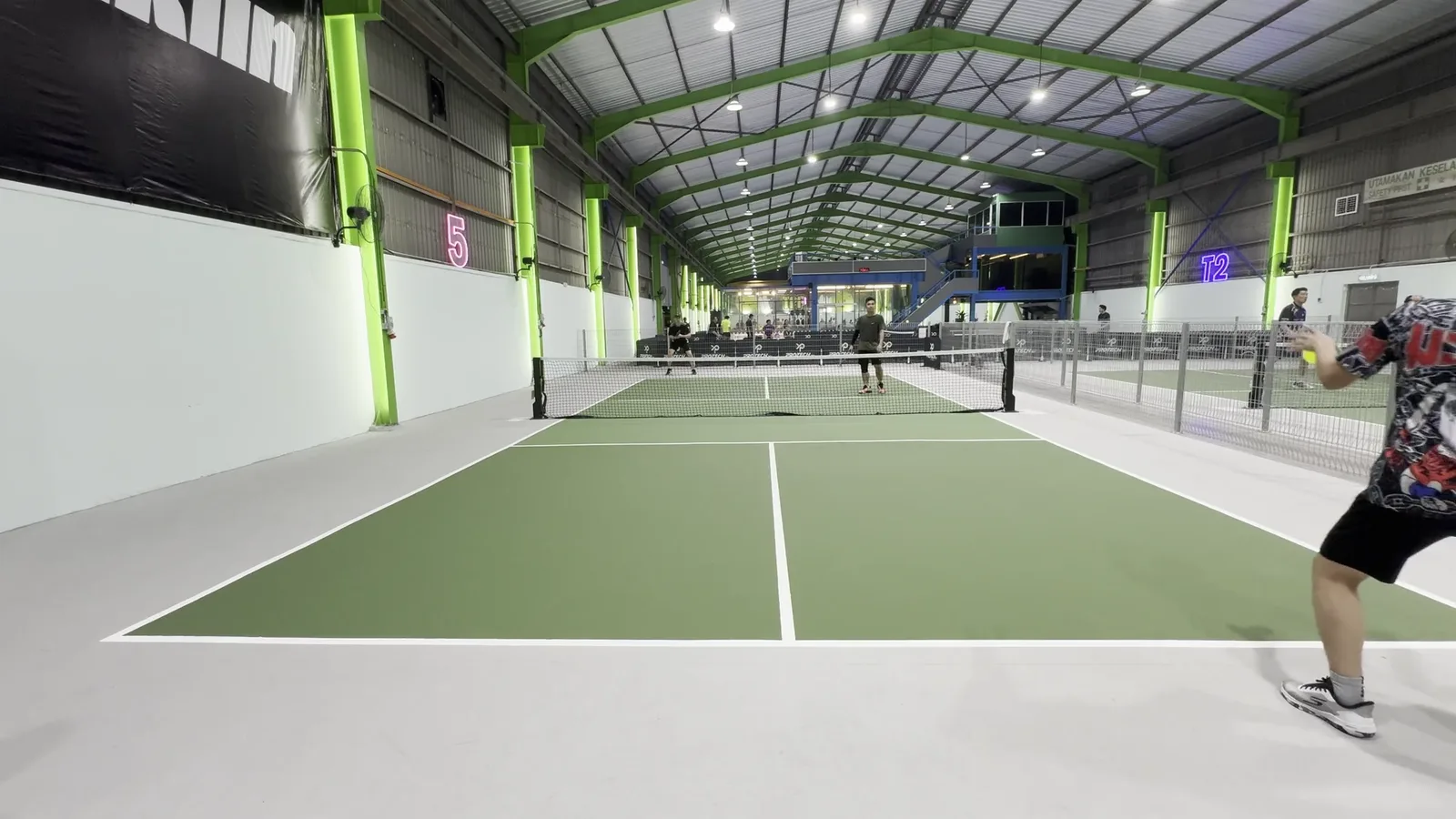
What the camera saw
Rebuilt in 3D
Where each player stood
Rebuilding…
In development. The AI proposes; a referee confirms.Footage: Thirstday Pickleball — Vernon Chan, CC BY
What the camera saw
Rebuilt in 3D
Where each player stood
In development. The AI proposes; a referee confirms.Footage: Thirstday Pickleball — Vernon Chan, CC BY
Your first draw takes one evening.
Create a host account, add the event on the desk — name, date and club — and share one link. Players install nothing.